GitHub 프로필 README 꾸미기
깃허브 스탯, Solved.ac 프로필, 뱃지, 통계 등을 활용한 GitHub 프로필 README 꾸미기
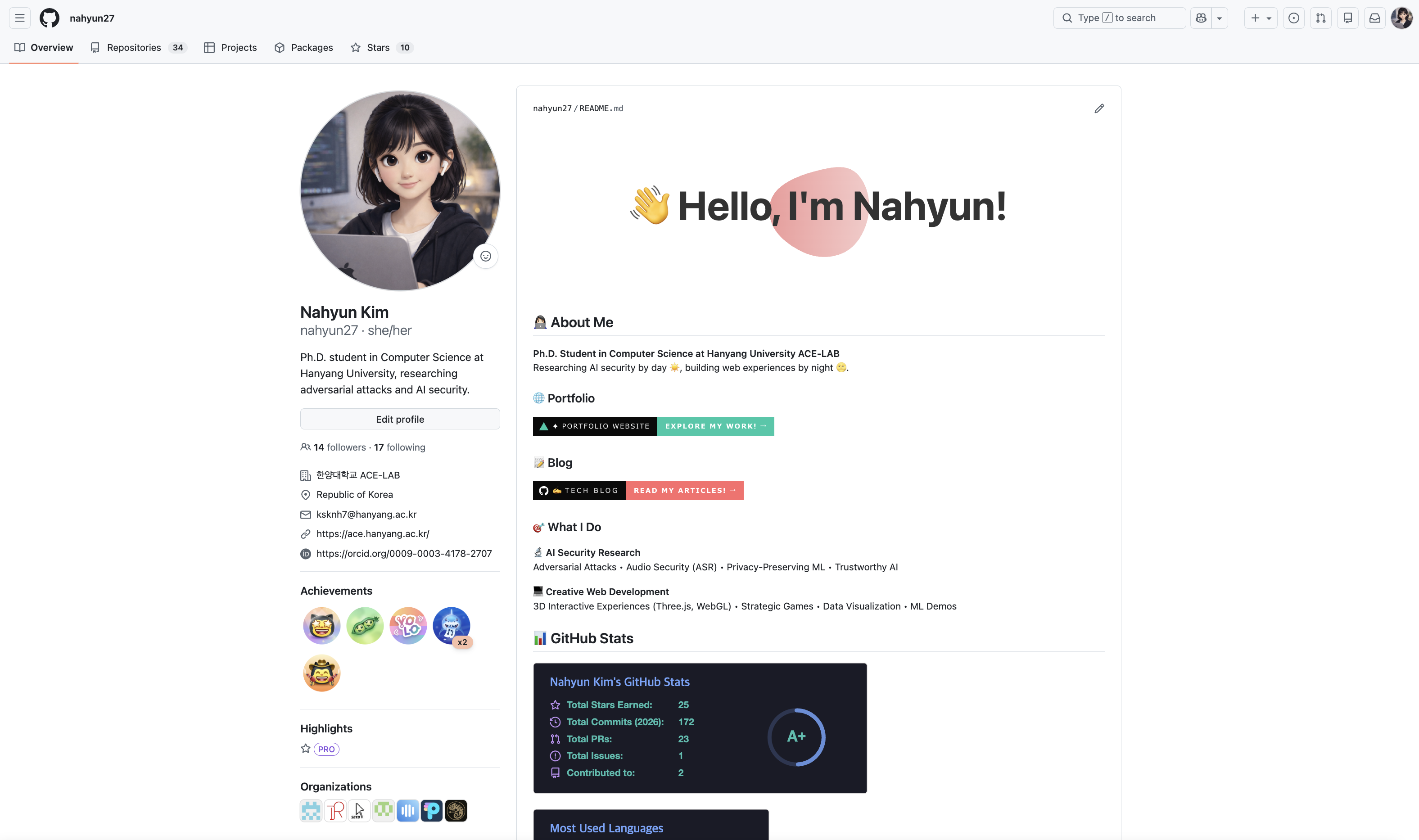
GitHub 프로필 README란?
GitHub 프로필 페이지 상단에 표시되는 마크다운 문서다. 자신을 소개하고, 프로젝트를 홍보하고, 기술 스택을 보여줄 수 있다.
2020년 7월에 추가된 기능인데, 이제는 필수가 됐다.
프로필 README 만들기
1. 저장소 생성
중요: 저장소 이름이 GitHub 유저명과 같아야 한다.
1
2
저장소 이름: nahyun27
(본인 유저명으로 변경)
2. README.md 파일 생성
저장소에 README.md 파일을 만들면 자동으로 프로필에 표시된다.
내가 생각하는 좋은 프로필
프로필 README는 이력서가 아니다. 간결하게, 시각적으로, 한눈에 들어오게.
핵심 원칙
- 간결함 - 필요한 내용만
- 시각성 - 텍스트보다 뱃지와 통계
- 명확함 - 3초 안에 무엇을 하는 사람인지 파악 가능
불필요한 장식이나 장황한 설명은 오히려 방해가 된다.
구성 요소
헤더 이미지
Capsule Render 사용:
1


파라미터:
type: 디자인 스타일 (wave, waving, venom, slice 등)color: 그라데이션 (0:시작색,100:끝색)height: 높이text: 표시할 텍스트 (%20으로 띄어쓰기)fontSize: 글자 크기fontColor: 글자 색animation: fadeIn, scaleIn, blink 등
더 많은 스타일: capsule-render
팁: 심플한 디자인이 가독성이 좋다. type=waving 또는 type=venom 추천.
소개
한두 줄로 간결하게.
1
2
3
4
## 👩🏻💻 About Me
**Ph.D. Student in Computer Science at Hanyang University ACE-LAB**
Researching AI security by day ☀️, building web experiences by night 🌝.
핵심만:
- 현재 신분/직책
- 무엇을 하는지 (한 문장)
장황한 자기소개는 피한다. 궁금하면 링크를 클릭할 것이다.
링크 (클릭 가능한 뱃지)
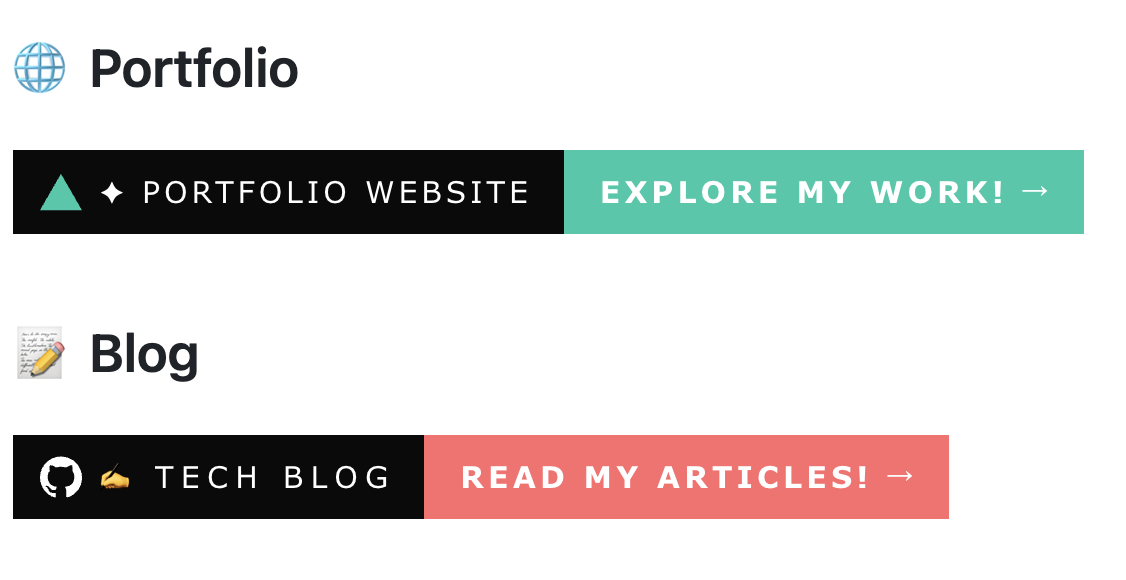
포트폴리오, 블로그 등 주요 링크를 큰 뱃지로 표시한다.
1
2
3
4
5
6
7
8
9
### 🌐 Portfolio
<a href="https://nahyun.vercel.app">
  <img src="https://img.shields.io/badge/✦%20PORTFOLIO%20website-Explore%20my%20work!%20→-000000?style=for-the-badge&logo=vercel&logoColor=00C9A7&labelColor=0A0A0A&color=00C9A7" height="45"/>
</a>

### 📝 Blog
<a href="https://nahyun27.github.io">
  <img src="https://img.shields.io/badge/✍️%20TECH%20BLOG-Read%20my%20articles!%20→-000000?style=for-the-badge&logo=github&logoColor=white&labelColor=0A0A0A&color=FF6B6B" height="45"/>
</a>
뱃지 만들기
Shields.io 사용:
1
https://img.shields.io/badge/{텍스트}-{메시지}-{색상}?{옵션}
기본 예시:
1

파라미터:
style: flat, flat-square, for-the-badge, plasticlogo: 로고 이름 (Simple Icons에서 검색)logoColor: 로고 색상labelColor: 라벨 배경색color: 메시지 배경색
추천 색상:
- 포트폴리오:
00C9A7(민트) - 블로그:
FF6B6B(코랄) - GitHub:
181717(검정)
관심사/전문 분야
간결하게 나열한다.
1
2
3
4
5
6
7
### 🎯 What I Do

**🔬 AI Security Research**
Adversarial Attacks • Audio Security (ASR) • Privacy-Preserving ML • Trustworthy AI

**💻 Creative Web Development**
3D Interactive Experiences (Three.js, WebGL) • Strategic Games • Data Visualization
포인트:
- 불릿 대신
•사용하면 깔끔 - 2-3줄로 정리
- 기술 나열보다 분야 강조
GitHub Stats
GitHub Readme Stats 사용:
기본 통계
1

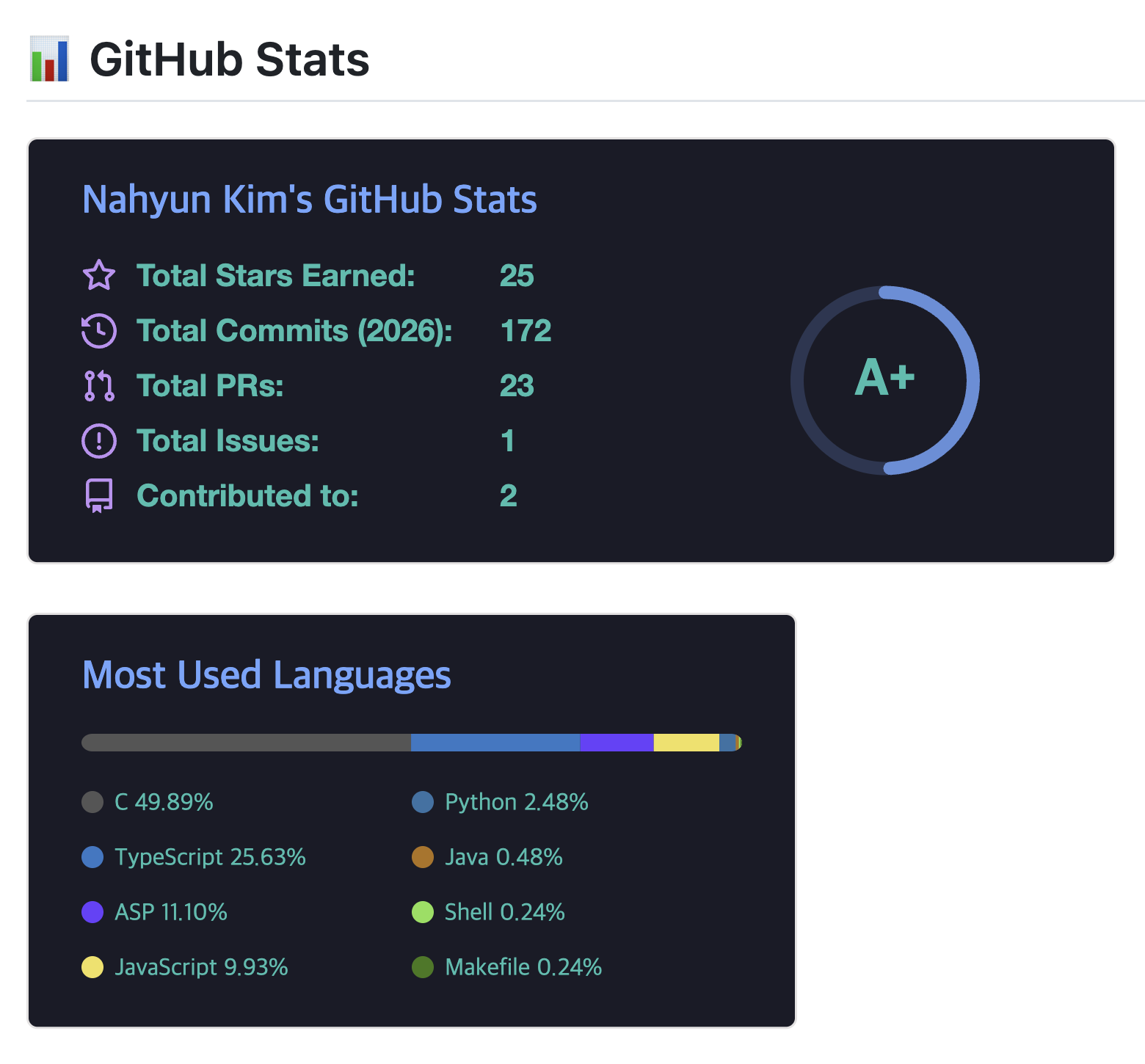
언어 통계
1

테마 옵션:
tokyonight- 어두운 보라dark- 심플한 검정radical- 네온 느낌dracula- 드라큘라gruvbox- 레트로onedark- Atom 테마
추가 옵션:
count_private=true: 비공개 저장소 포함show_icons=true: 아이콘 표시hide=html,css: 특정 언어 숨기기langs_count=8: 표시할 언어 개수
Solved.ac 프로필 (선택)
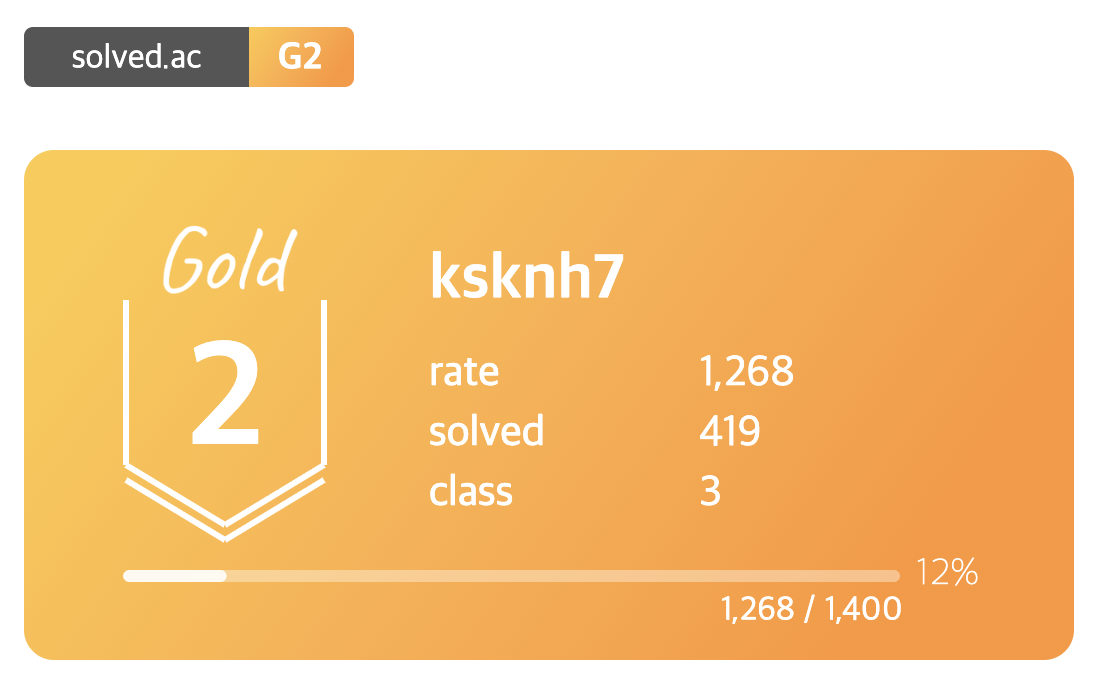
백준 문제 풀이 통계:
1
[](https://solved.ac/ksknh7)
미니 버전:
1
[](https://solved.ac/ksknh7)
알고리즘 공부를 하는 경우에만 추가한다.
실전 예시: 내 프로필
1
2
3
4
5
6
7
8
9
10
11
12
13
14
15
16
17
18
19
20
21
22
23
24
25
26
27
28
29
30
31
32
33
34
35
36

## 👩🏻💻 About Me
**Ph.D. Student in Computer Science at Hanyang University ACE-LAB**
Researching AI security by day ☀️, building web experiences by night 🌝.
### 🌐 Portfolio
<a href="https://nahyun.vercel.app">
<img src="https://img.shields.io/badge/✦%20PORTFOLIO%20website-Explore%20my%20work!%20→-000000?style=for-the-badge&logo=vercel&logoColor=00C9A7&labelColor=0A0A0A&color=00C9A7" height="45"/>
</a>
### 📝 Blog
<a href="https://nahyun27.github.io">
<img src="https://img.shields.io/badge/✍️%20TECH%20BLOG-Read%20my%20articles!%20→-000000?style=for-the-badge&logo=github&logoColor=white&labelColor=0A0A0A&color=FF6B6B" height="45"/>
</a>
### 🎯 What I Do
**🔬 AI Security Research**
Adversarial Attacks • Audio Security (ASR) • Privacy-Preserving ML • Trustworthy AI
**💻 Creative Web Development**
3D Interactive Experiences (Three.js, WebGL) • Strategic Games • Data Visualization • ML Demos
## 📊 GitHub Stats


## 💻 Algorithm & Problem Solving
[](https://solved.ac/ksknh7)
[](https://solved.ac/ksknh7)
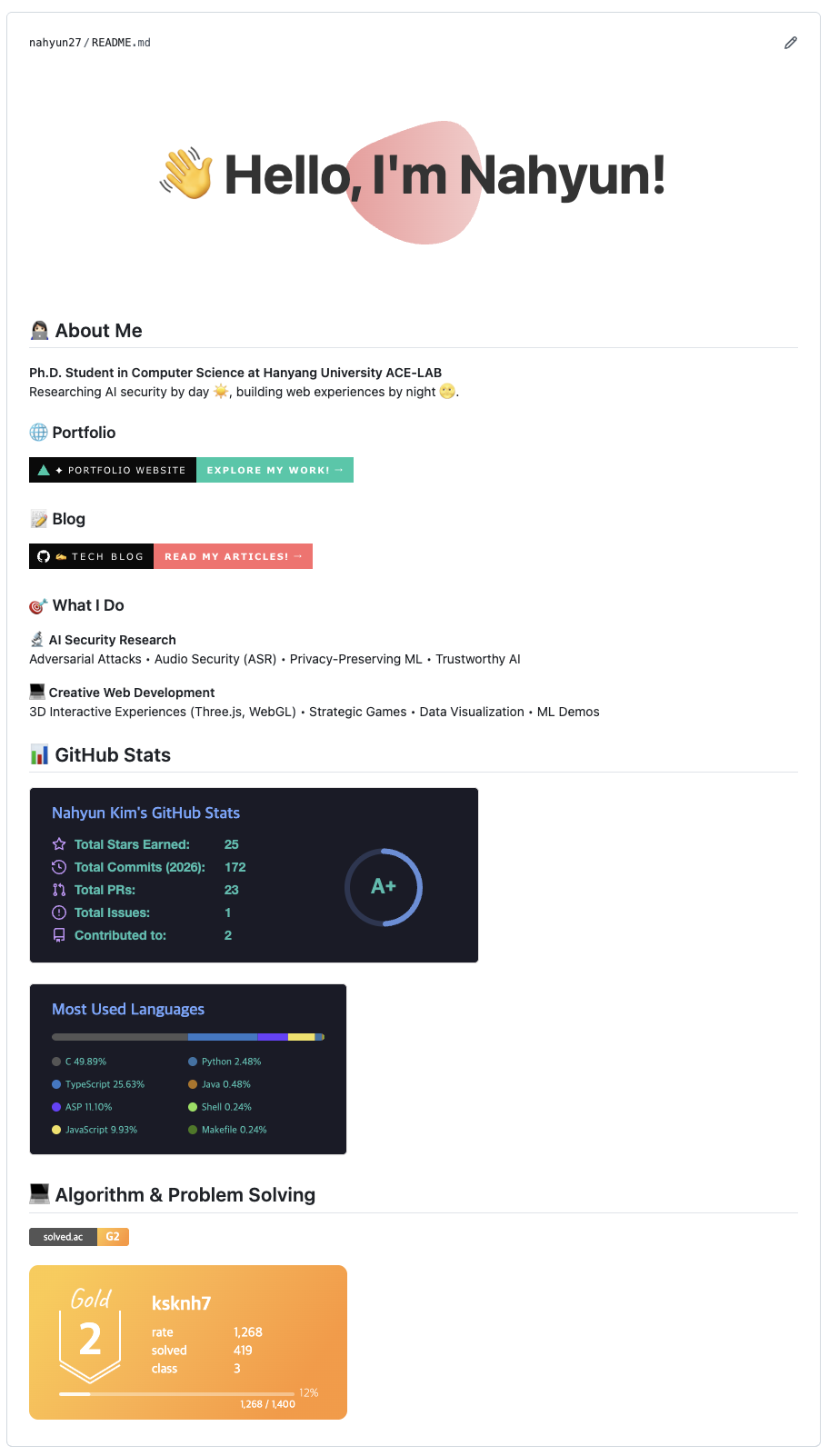
왜 이렇게 구성했나:
- 헤더는 시선을 끌되 과하지 않게
- 소개는 두 줄로 간결하게
- 링크는 큰 뱃지로 클릭 유도
- 관심사는 두 분야로 명확히 구분
- 통계로 활동 증명
Contribution Graph의 중요성
프로필에서 README만큼 중요한 게 하나 더 있다. Contribution Graph, 즉 잔디다.
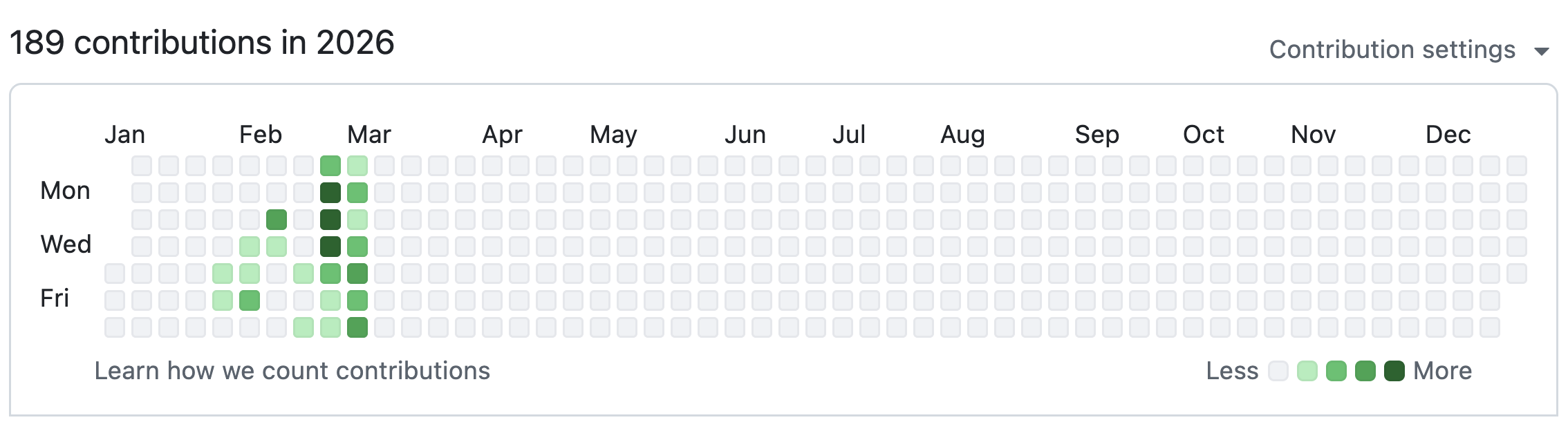
초록색으로 가득 찬 잔디는 그 자체로 설득력이 있다. 꾸준히 코딩하고, 프로젝트를 진행하고, 실제로 무언가를 만드는 사람이라는 증거다.
화려한 README도 좋지만, 텅 빈 잔디밭 위에서는 공허하다. 반대로 잔디가 잘 채워져 있으면 간단한 README만으로도 충분히 인상적이다.
잔디를 키우는 법:
- 매일 조금이라도 커밋
- 작은 프로젝트라도 꾸준히
- 1일 1커밋 습관 만들기
고급 기능
동적 콘텐츠
최근 블로그 포스트
1
2
3
### 📝 Recent Posts
<!-- BLOG-POST-LIST:START -->
<!-- BLOG-POST-LIST:END -->
GitHub Actions로 자동 업데이트 가능.
Streak Stats
1

연속 커밋 기록을 보여준다.
Activity Graph
1

레이아웃 팁
가로 정렬
1
2
3
<div align="center">
  내용
</div>
이미지 크기 조정
1
<img src="https://..." width="400" />
피해야 할 것
1. 과도한 장식
너무 많은 이모지, 애니메이션, 색상은 오히려 산만하다. 간결함이 중요하다.
2. 기술 스택 나열
1
2
❌ Python, JavaScript, TypeScript, Java, C++, C#, Go, Rust, Ruby, PHP,
   Swift, Kotlin, Dart, HTML, CSS, SCSS, React, Vue, Angular, ...
모든 걸 다 아는 것처럼 보이려다 신뢰를 잃는다. 주력 기술 3-5개만 명확히.
3. 추상적인 내용
1
2
❌ "I'm passionate about creating innovative solutions..."
   "My goal is to make the world a better place..."
구체적으로. 무엇을 연구하고, 무엇을 만드는지.
4. 너무 긴 README
스크롤이 3번 이상 필요하면 너무 길다. 상세한 내용은 포트폴리오나 블로그로.
유용한 도구
뱃지 & 아이콘
통계
헤더
자동화
영감 얻기
다른 사람들의 프로필:
마치며
GitHub 프로필 README는 개발자의 첫인상이다. 화려할 필요는 없지만, 나를 명확히 표현해야 한다.
핵심은:
- 간결하게
- 시각적으로
- 필요한 정보만
그리고 무엇보다, 프로필을 꾸미는 것보다 프로젝트를 만들고 코드를 커밋하는 것이 중요하다. 잔디가 채워지면 프로필은 자연스럽게 빛난다.
내 프로필: github.com/nahyun27
Tags: #GitHub #Profile #README #Markdown #Portfolio